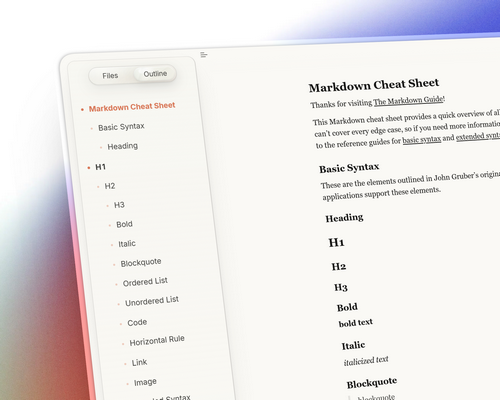
Sonnet
Sonnet
A Typora theme inspired by Anthropic’s design philosophy.
What’s New
-
Sidebar Outline: Refined the visual hierarchy and spacing of the outline panel.
-
Typography: Prioritized system-native typefaces:
-
English serif: Georgia,
-
English sans-serif: Segoe UI / San Francisco.
(Note: copyright clearance is recommended for any promotional screenshots.)
-
-
Task Lists: Added color differentiation to to-do items for better scanability.
-
Menu Controls: Streamlined the menu button behavior for a more intuitive experience.
Installation
Step 1: Download the latest release package.
Step 2: Navigate to Preferences → Appearance and click “Open Theme Folder” to reveal the Typora themes directory.
Step 3: Copy the following into the theme folder:
-
sonnet-fonts— (Optional unless you require Simplified Chinese glyphs; if not, the CSS files alone are sufficient.) sonnet-dark.csssonnet.css
Step 4: Restart Typora for the changes to take effect.
Step 5: Once restarted, go to the Themes menu and select your desired Sonnet theme.
Notes
- This project is based on https://github.com/blaxisomu/typora_claude.